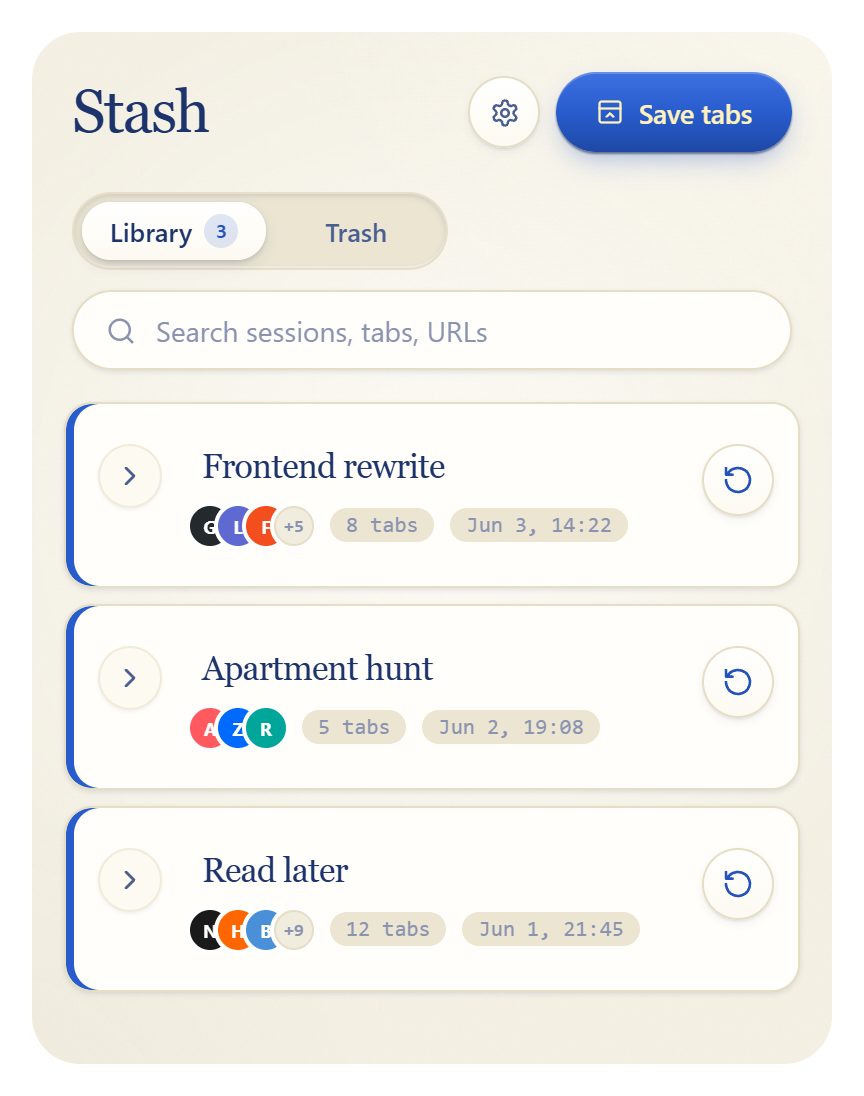
Save your tabs. Come back later.

One click stashes every open tab into a named session.
Find it, restore it, move on.

Add to Chrome. It's free No account. Nothing leaves your device.
Stash popup showing saved tab sessions
Ctrl
+
Shift
+
S
Try pressing Ctrl + Shift + S

Chrome Shortcut

Press the key combination to sweep your workspace instantly without lifting your hands.

Monday Reading
3 tabs

Single-Click Restore

Hover over any stashed session and click the Restore button to bring all tabs back instantly.

Extensions
Stash

Keep Within Reach

Pin Stash so it remains one click away. A cluttered browser is resolved in a split second.

1
Save in one click
Click the toolbar icon or press Ctrl+Shift+S. Every open tab goes into a named session, then clears.
2
Find it later
Sessions are named from the date and first tab. Rename them anything. Search across names, titles, URLs, and even the text inside the pages you saved.
3
Nothing leaves your machine
All data stays in your browser's local storage. No servers, no account, no tracking. Uninstall and it's gone.